
How to Make a Chibi Image from Photo: A Complete Guide
This comprehensive guide demonstrates how to transform ordinary photographs into adorable chibi-style anime characters using AI-powered image generation technology. The tutorial walks readers through a simple 5-step process: creating a free account, accessing the image-to-image generator, uploading photos, selecting from various artistic style templates, and generating high-quality chibi artwork. Designed for both beginners and anime enthusiasts, the article covers best practices for optimal results, highlights key features of the AI chibi generator, and emphasizes the platform's accessibility with free starter credits. Whether for social media avatars, personalized gifts, or creative exploration, this guide provides everything needed to convert photos to chibi art effortlessly.
How to Make a Chibi Image from Photo: A Complete Guide
Want to generate chibi image from photo in minutes? Whether you're an anime enthusiast, content creator, or just looking to transform your selfies into adorable cartoon characters, our AI chibi generator makes the process incredibly simple. This step-by-step guide will show you exactly how to make chibi image from photo using our powerful photo to chibi tool.
What is a Chibi Image?
Chibi (ちび) is a Japanese art style featuring characters with oversized heads, large expressive eyes, and tiny bodies—creating an irresistibly cute aesthetic. With modern AI technology, you can now transform any photograph into this charming style automatically.
Step-by-Step: How to Generate Chibi Image from Photo
Step 1: Create Your Account
Visit chibi.pics/sign-up to create your free account. Already registered? Head to chibi.pics/sign-in to log in.
New users receive free credits upon registration—no credit card required to start!
Step 2: Access the Image-to-Image Generator
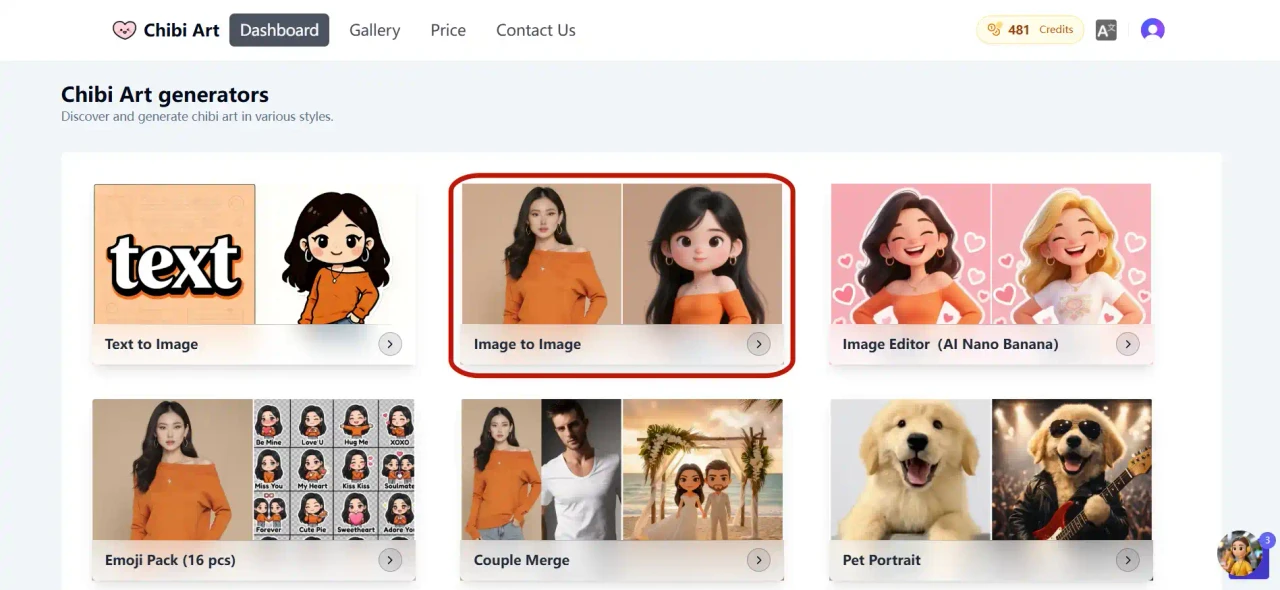
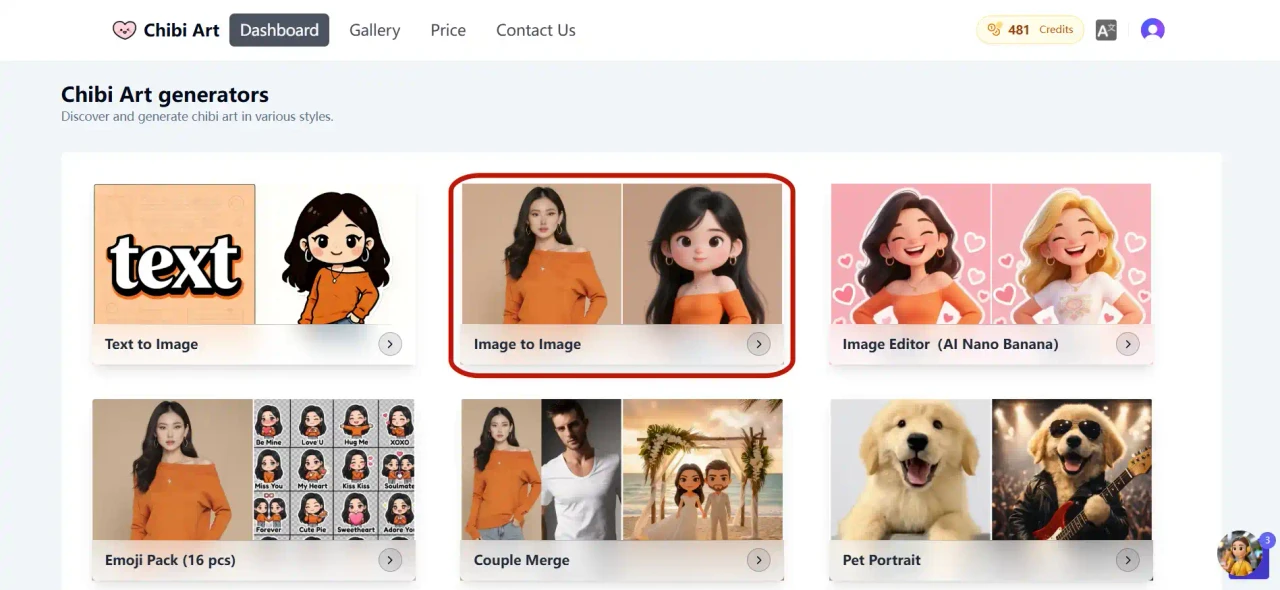
Once logged in, navigate to your Dashboard. Locate and click on the "Image to Image" generator option to launch the tool.
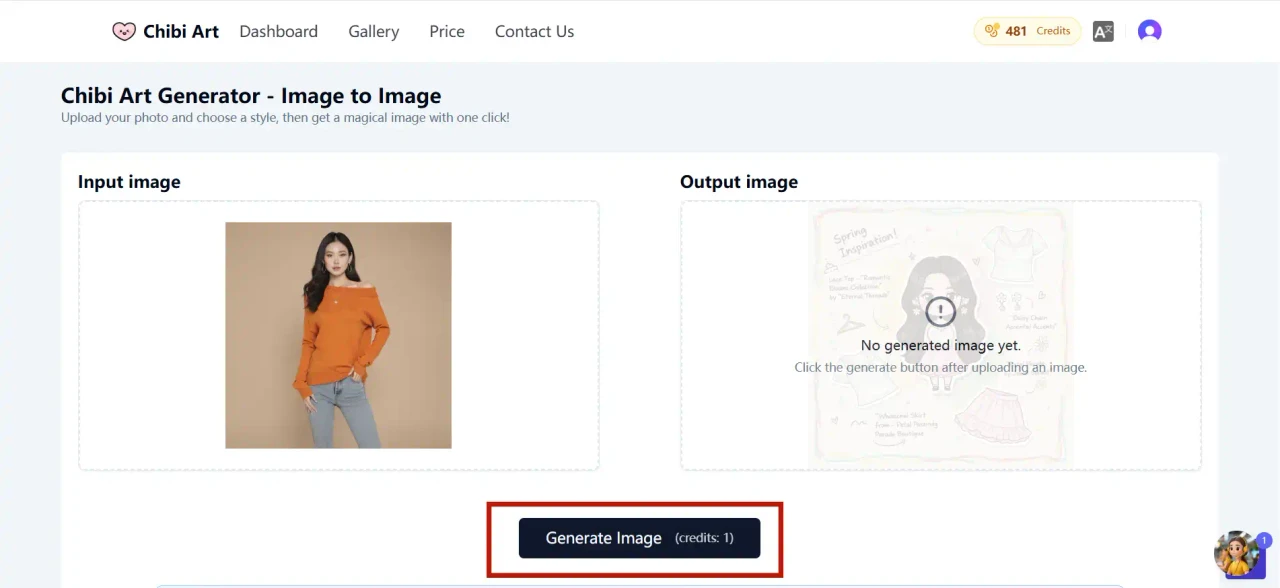
Step 3: Upload Your Photo
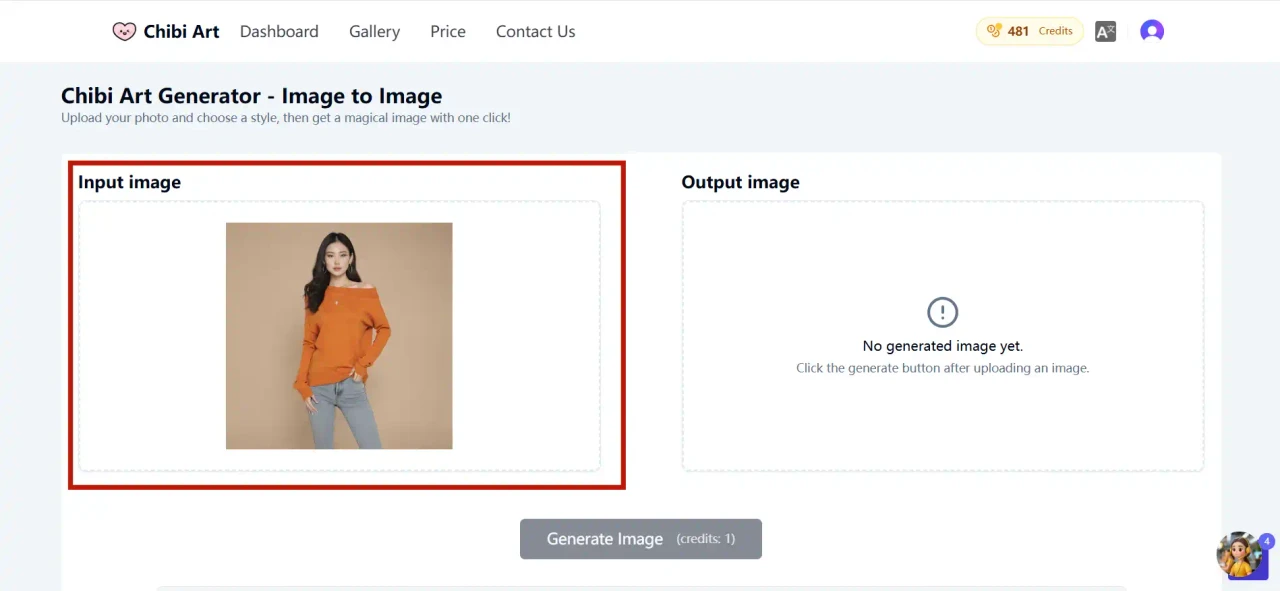
In the "Input Image" section, either drag and drop your photo or click to browse and select an image from your device.
Pro Tips for Best Results:
- Use clear, well-lit photos with visible facial features
- Portrait shots work better than full-body images
- Avoid heavily filtered or low-resolution images
Step 4: Choose Your Chibi Style
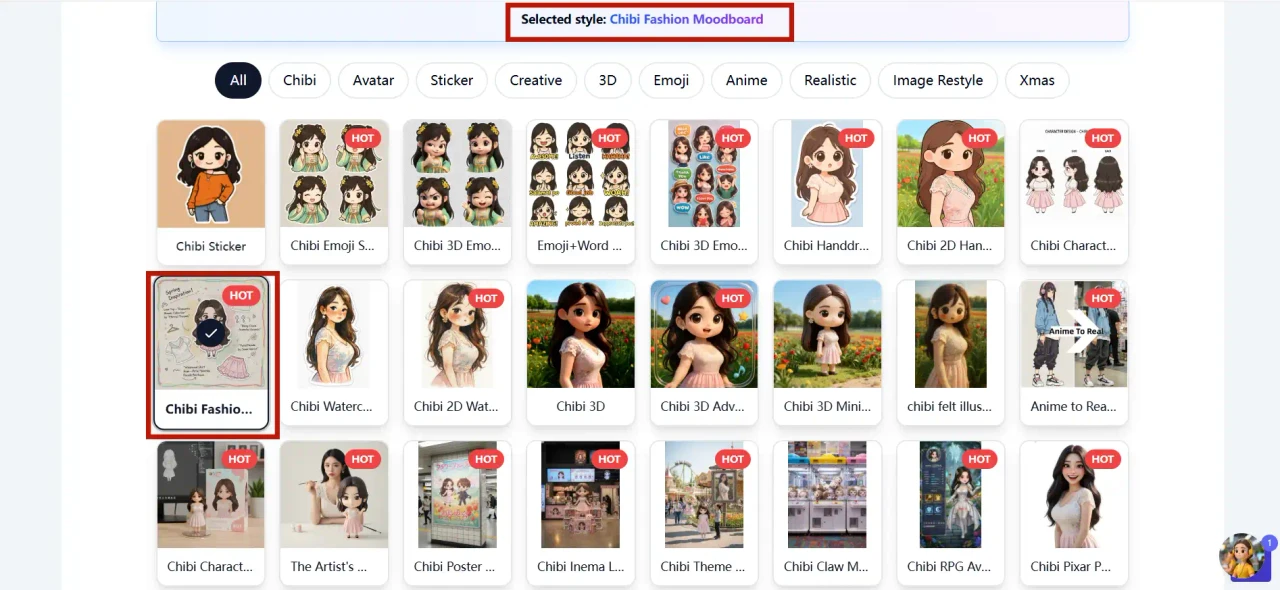
Browse our extensive collection of style templates below the upload area. Click any template to select it—instantly preview how your photo to chibi transformation will look in the "Output Image" section.
Mix and match different styles until you find your perfect anime aesthetic!
Step 5: Generate Your Chibi Masterpiece
Click the "Generate Image" button and watch our AI chibi generator work its magic. Within seconds, your custom chibi character will be ready to download and share!
Why Choose Our AI Chibi Generator?
✅ Instant Results – No design skills needed
✅ Multiple Art Styles – From classic anime to modern kawaii aesthetics
✅ High-Quality Output – Crisp, professional-grade images
✅ Free to Start – Complimentary credits for new users
✅ Privacy Focused – Your photos are processed securely
Ready to Transform Your Photos?
Learning how to make chibi image from photo has never been easier. Whether you want to create unique social media avatars, personalized gifts, or just explore your creative side, our photo to chibi converter delivers stunning results every time.
Have questions? Check out our FAQ section or contact our support team for assistance.
Comments (1)
Share your thoughts about this article.
You must be signed in to post a comment.
Sign in to commentFinally a guide that actually explains the difference between the styles! Been winging it with random uploads but the tip about clear front-facing portraits vs. side angles just saved my next batch. Bookmarked for when my free credits refresh 👍